
Finish the whole project in one place.
Bring drawings, diagrams, documents, data, code, and images into one project, at full fidelity. An AI agent works across all of it, and you refine every detail. No exporting between apps. No stack of subscriptions.
Free to start · No installation · End-to-end encrypted
The problem
A real project is not one kind of file.
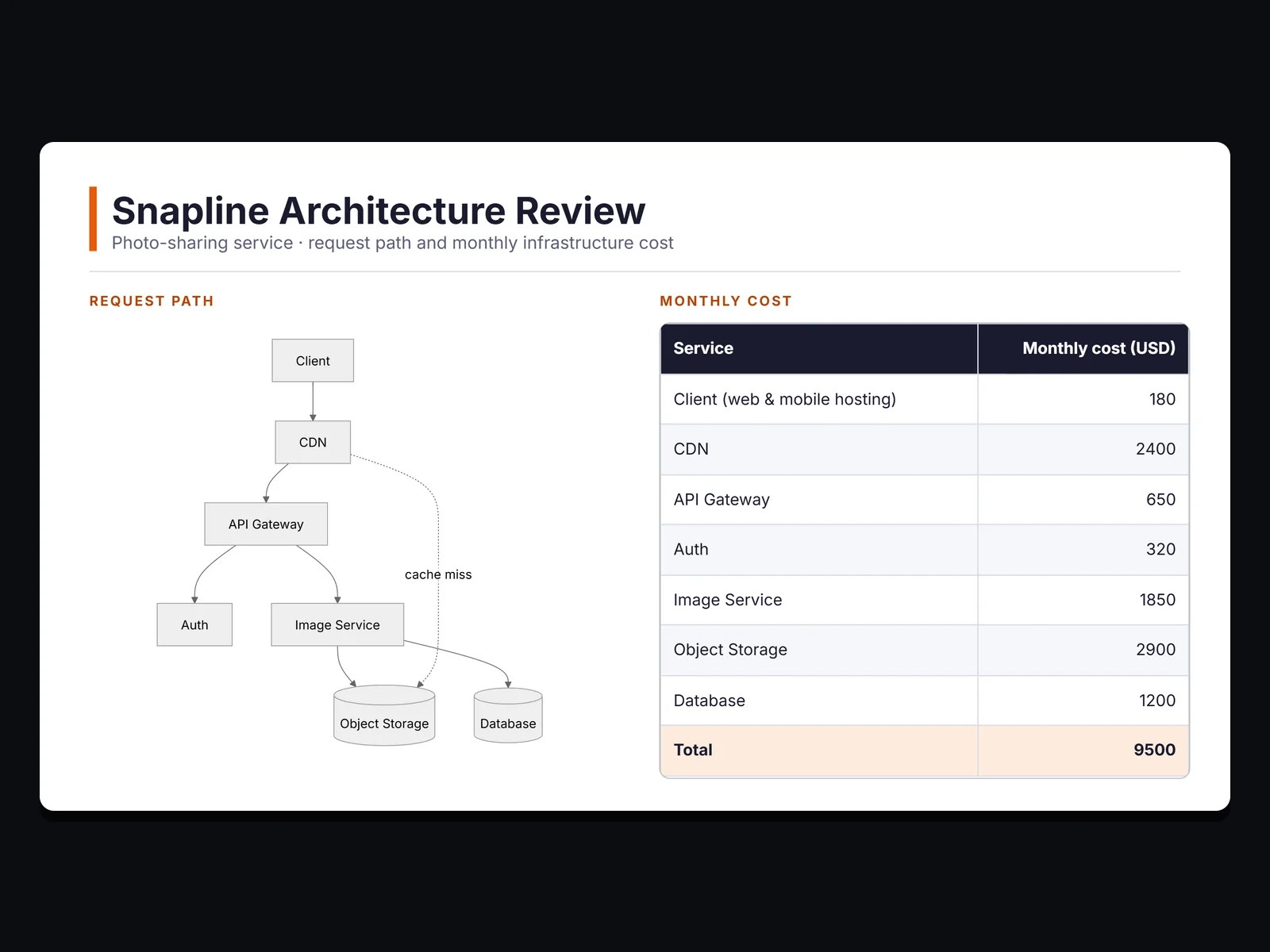
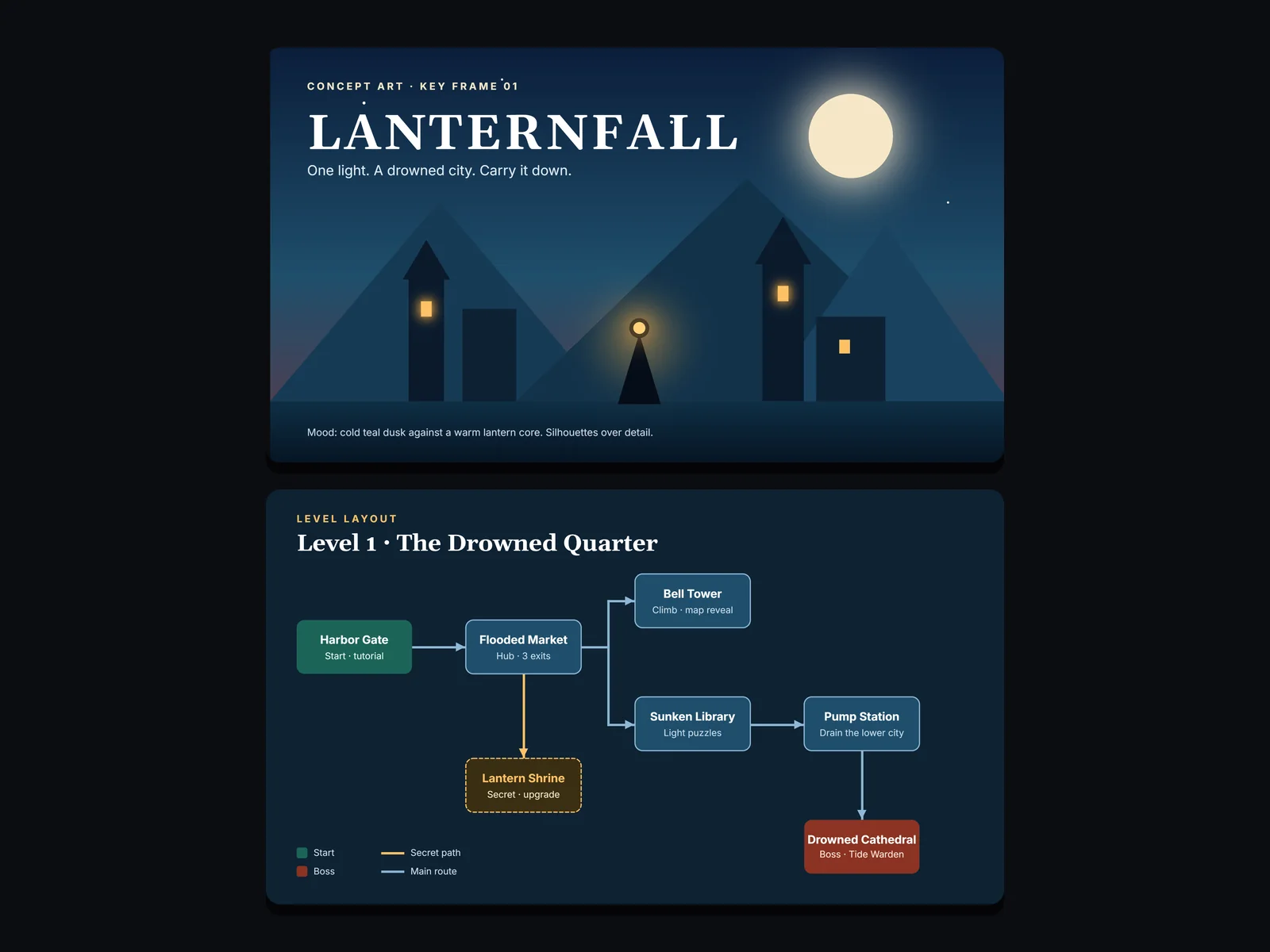
An architecture review is diagrams, a decision record, and a cost table. A paper is equations, figures, and prose. A game pitch is concept art, level maps, and a budget. Today each piece lives in a different app, so the project lives nowhere.
10
Apps open
9
Exports to keep in sync
One review touches all of these. Every arrow is a file someone has to export, rename, and re-import.
Money
One subscription for every kind of file.
Fidelity
Every export flattens layers and breaks edits.
Context
The brief, the numbers, and the drawings never sit together.
Attention
The switching itself, dozens of times a day.
Codebox
A page that runs.
Write a small program on any page: a motion study, a lab, a forecast. It runs beside the brief and the numbers it belongs to, the whole team can move its controls, and the export keeps a still of it.
- Write
Write.HTML, CSS, and JavaScript in a box on the page.
Find your field
Same project. Your field.
Every serious project is gathered, made, refined, and shipped. Pick yours and see it happen in one place.
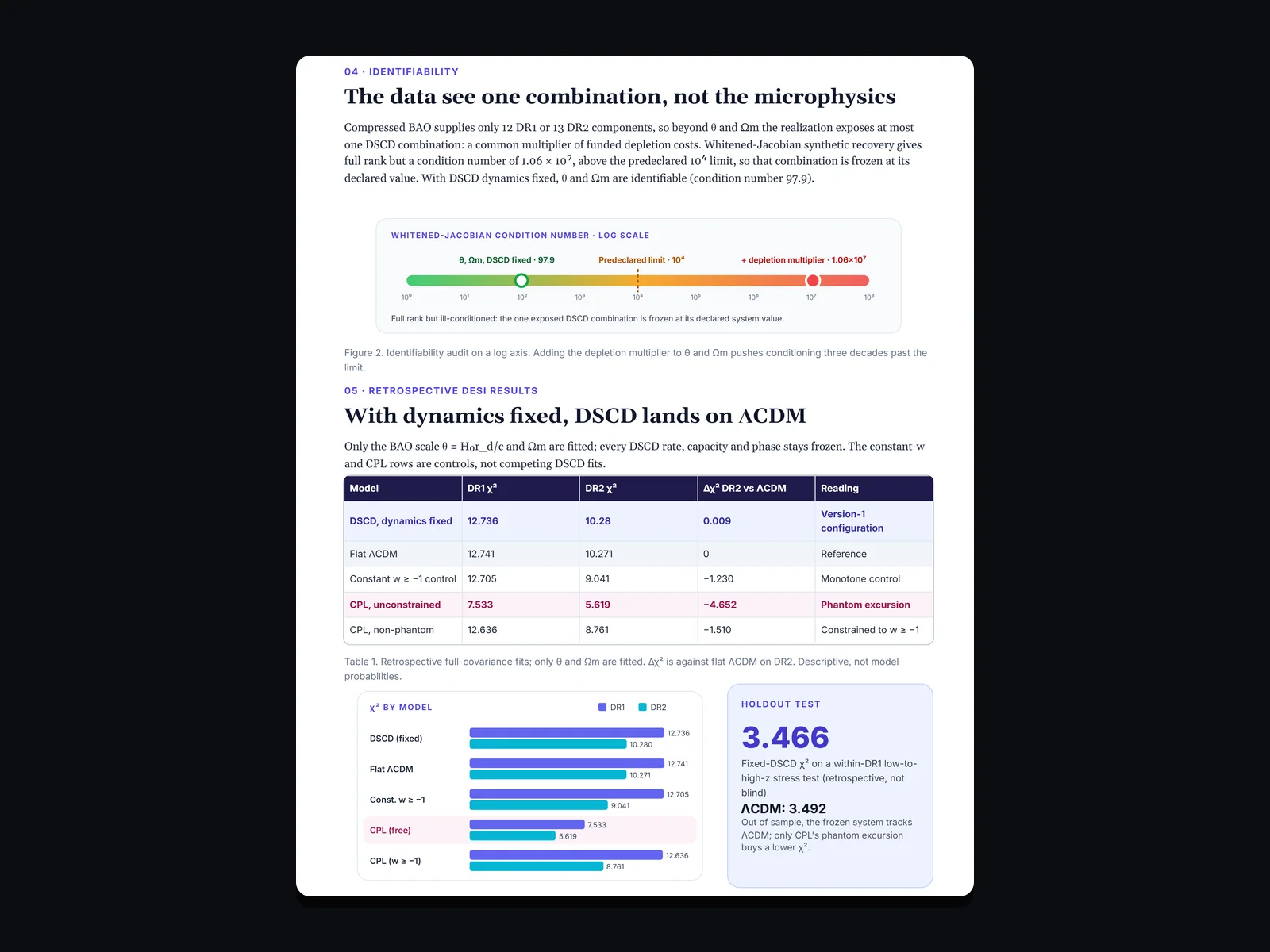
A paper’s figures, equations, tables, and notes, kept in one place
- 01
Gather
Drop in PDFs, notes, and reference images on the first page.
- 02
Make
Write in LaTeX and Markdown, draw schematics, and lay out figures beside the text.
- 03
Refine with the agent
Ask the agent to restructure a results table or tidy a figure layout.
- 04
Share and ship
Export PDF and SVG figures, or share the project with co-authors.
Instead of
- LaTeX editor
- plotting tool
- image editor
- notes app
- documents
Try it here
Feel it before you sign up.
Four small pieces of TerraSlides, running right on this page. No account needed.
Runs in your browser. Nothing here is saved or sent.
Try itDraw on the page. Slow strokes are heavier; a stylus uses real pressure. CtrlZ undoes.
Draw here. Slow for weight, fast for a light line.
The agent
An agent that sees the whole project.
Your brief, diagrams, numbers, and drafts are already here. You don’t paste context into a chat window or keep a separate notes app to remember it.
The agent works with the same tools you use, so what it makes is real objects you can keep editing, not a picture of them.
Together
Build it once. Reuse it everywhere.
Invite editors into the same project, and they join free. Save your own components, keep images and documents in one Assets library, and place them in any project.
Editing together and saved components come with paid plans. View-only links are on every plan.
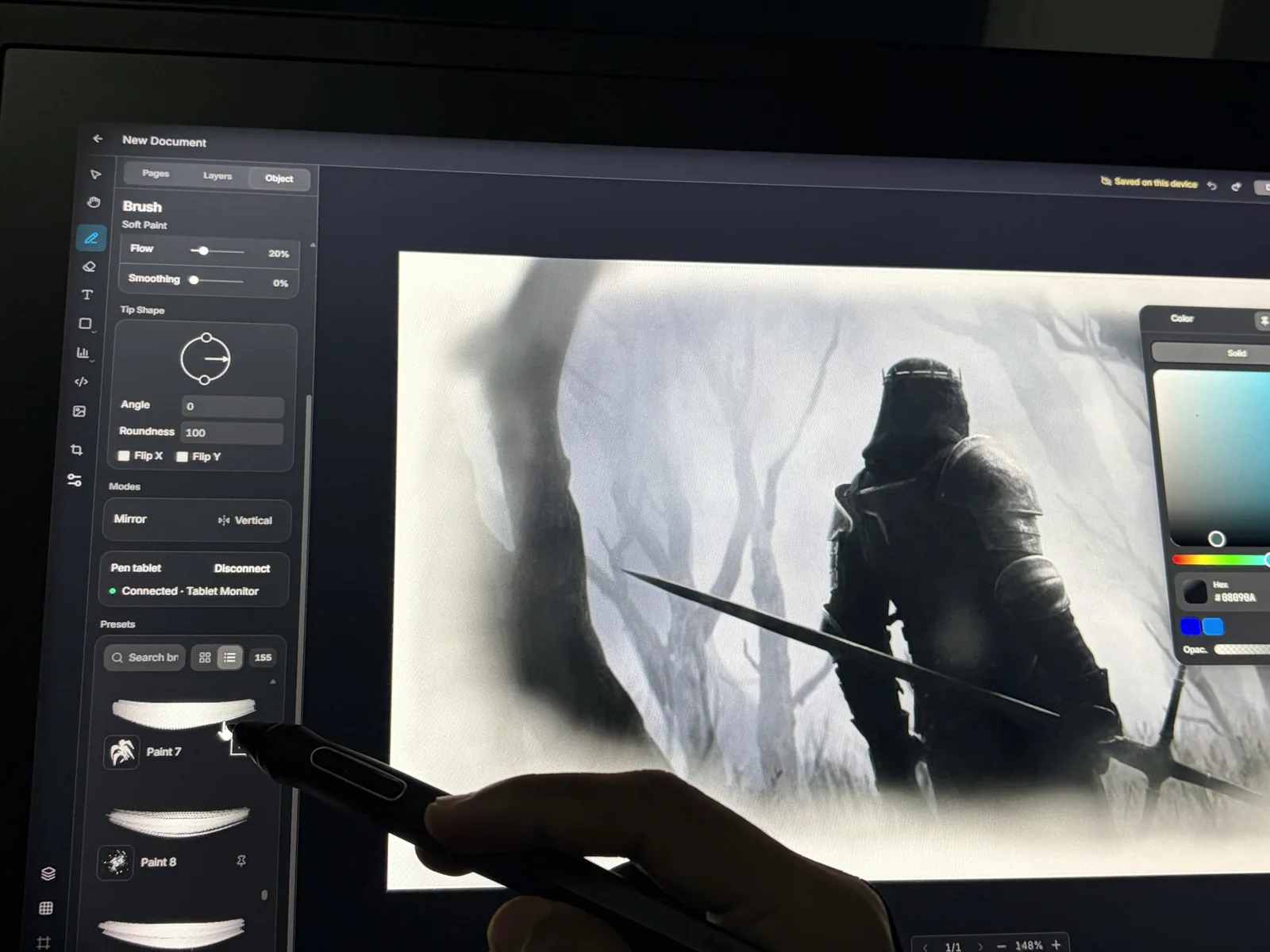
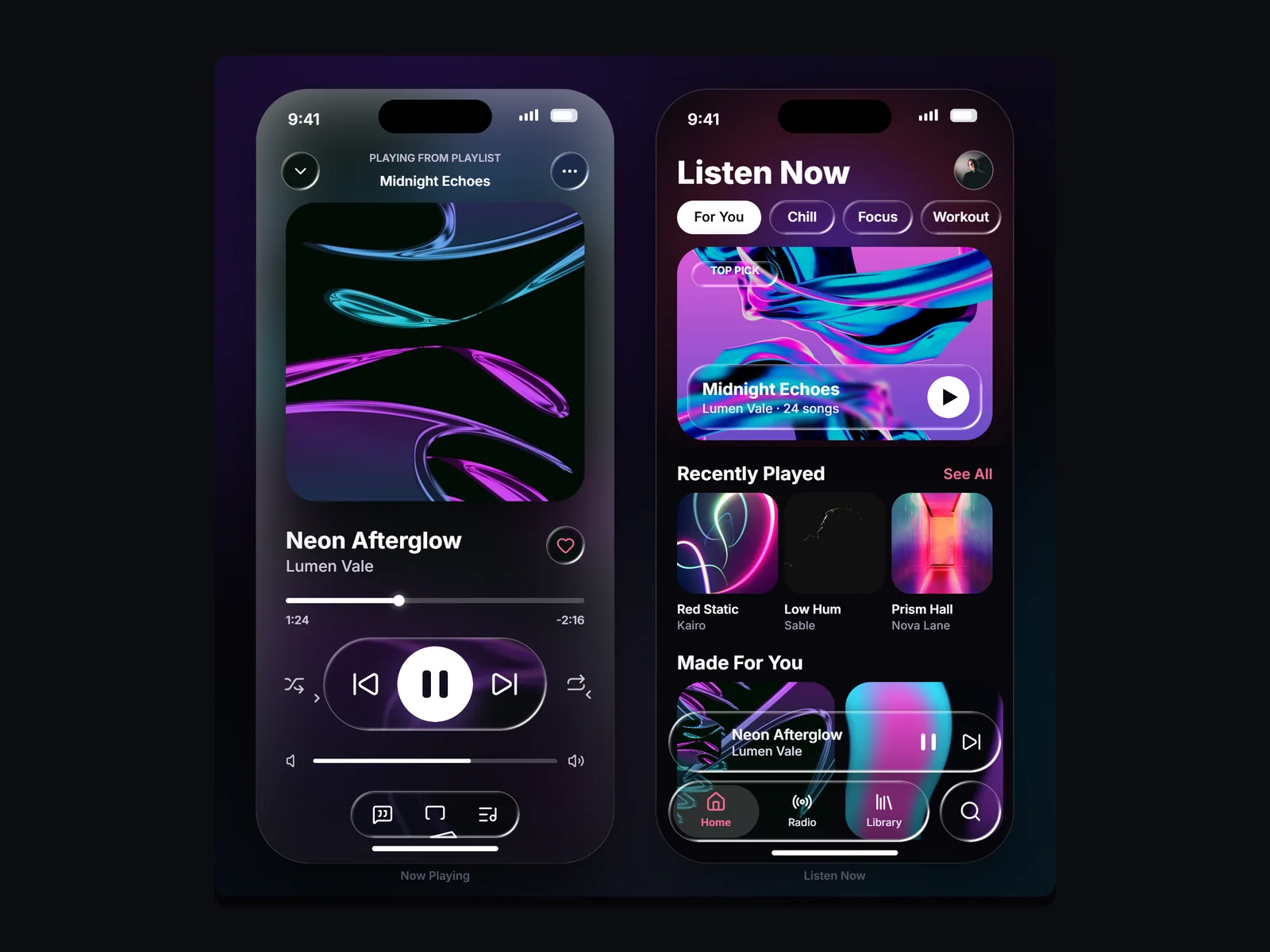
Made in TerraSlides
Finished work, not a stack of exports.

Private by default
Your work stays yours.
Research, client matters, financials, unreleased designs. Workspace content is end-to-end encrypted, and export is processed on your device.
- End-to-end encrypted workspace content.
- PDF, PNG, and SVG export, processed on your device.
- Editable .terra projects you can take with you.
One plan, not a stack
Start free. Pay only for what you add.
The full editor is free. Ordinary creative work does not need a paid plan.
Paid plans add AI usage, more cloud projects and storage, and your own components and fonts.
Questions
Before you start
Is it really free?
Yes. The full editor and an Assets library are free. Paid plans add AI usage, more cloud projects and storage, and your own components and fonts.
Does it work with a stylus?
Yes. Brushes respond to pressure and tilt, with immediate feedback. It runs in the browser, so there is nothing to install.
Can I bring in my existing files?
Images, SVG, PDF, DOCX, Markdown, and text go into the Assets library. Editable .terra projects open directly.
What can I export?
PDF, PNG, and SVG, processed on your device, or the editable .terra project.
Who can see my work?
Only you and the people you share with. Workspace content is end-to-end encrypted.
Can my team work on the same project?
Yes. Share view-only links on any plan. On plans that include editing together, invited editors join free.
Your next project doesn’t need ten apps.
Start it here, and finish it here.